The whole picture
How the pieces fit together.
AiDataCoach is four things passing one set of records along: your iPhone, Apple Health, the AiDataCoach app, and this website. Your goals and the AI Coach hang off the end of it. Here is what each piece does, and what it needs from the others.
The App Store listing is not open yet. This button is a placeholder until it is.
The path your data takes
- Step 1 of 3. Apple HealthYour record. Workouts, sleep, activity and every reading your devices take, kept on your iPhone.
- Step 2 of 3. The AiDataCoach appReads Apple Health on the phone and sends what it finds to your account.
- Step 3 of 3. This websiteReads your account and draws it back to you as dashboards, trends and streaks.
Data moves one way. Nothing reads back up the chain from this website to Apple Health.
Then, from the website
Not another hop the data takes — the two things it is for, reached from step 3.
- Your goalsTargets measured against the same records, refreshed by every sync.
- Your goals reportHow every goal actually went over a period you choose — met, missed and no-data drawn on each cadence's own periods, with what to change. It prints.
- Fitness PlansA starting point rather than a blank catalogue: pick what you are trying to do, and four goals with targets aimed at it.
The app
It begins on your iPhone.
The app is where your Apple Health data comes from. It reads Apple Health on the phone and keeps a copy, and it is the only half of AiDataCoach that can — a website has no way to reach the health records on your device.
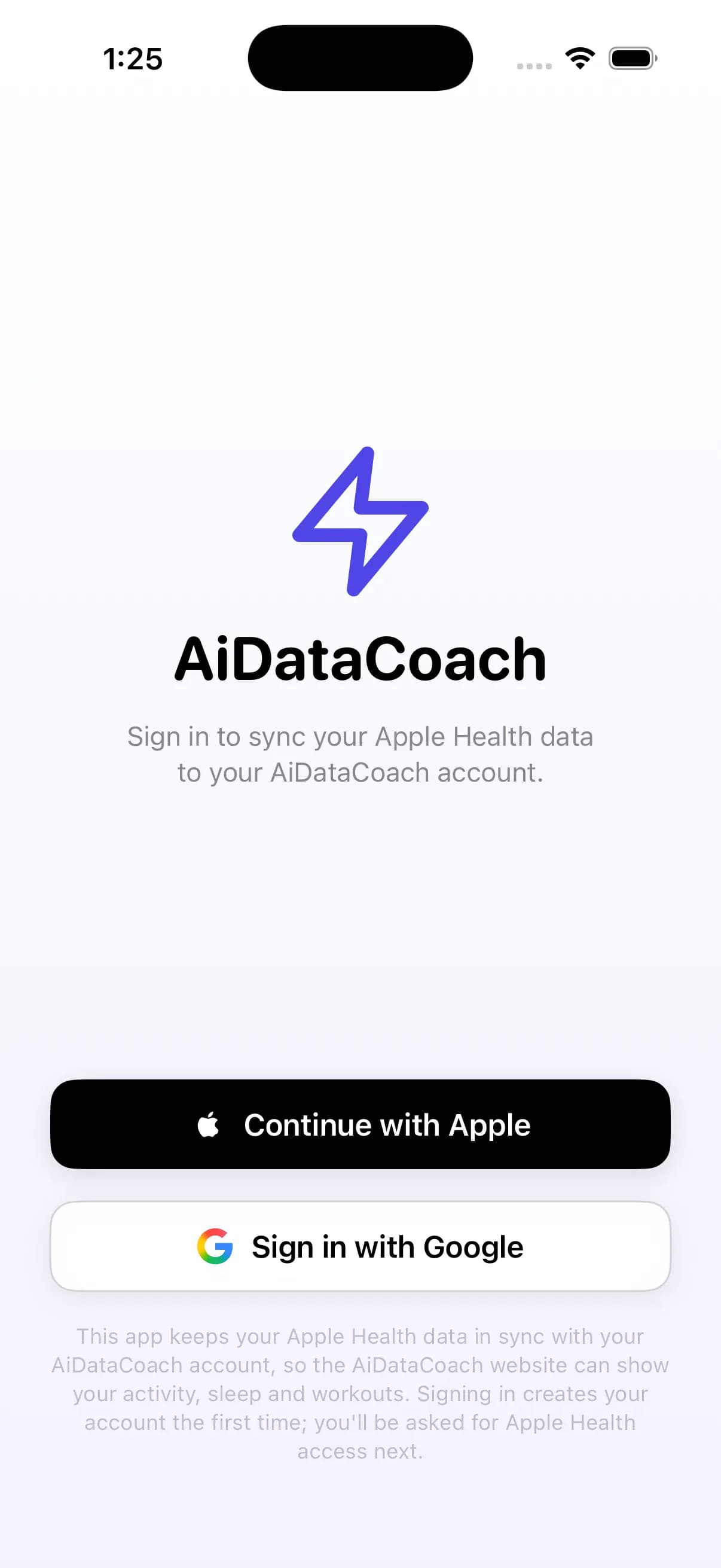
Sign in to the app with the same Apple Account you use here. That is the whole of the connection: the phone sends to your account, and this website reads it back.
Access
Allow Apple Health once.
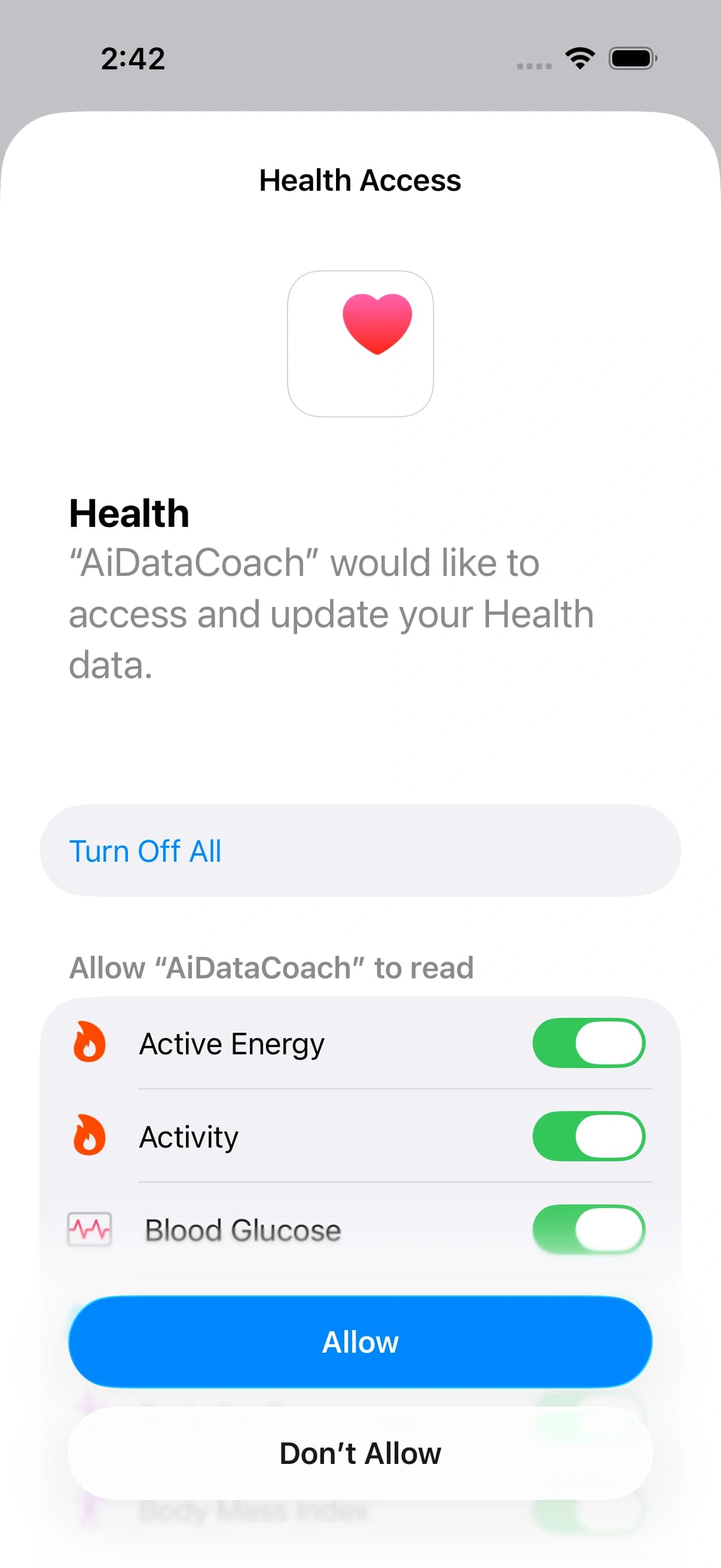
The first time you open the app it asks to read Apple Health, and iOS shows you the full list of categories. Turn them all on. A category you leave off is one the app can never read, and iOS will not ask you a second time — you would have to change it yourself in the phone's Settings.
A watch is worth it if you have one
Your iPhone already records a lot on its own. An Apple Watch adds the things a phone cannot feel, and more of this website fills in.
From your iPhone
- Steps, distance and flights
- Sleep and rest
- Workouts you start on the phone
- Anything you log by hand
With an Apple Watch
- Move, Exercise and Stand rings
- Heart rate and other vitals
- Sleep stages through the night
- Walking steadiness, and most workout types
Sync
The app sends. The website reads.
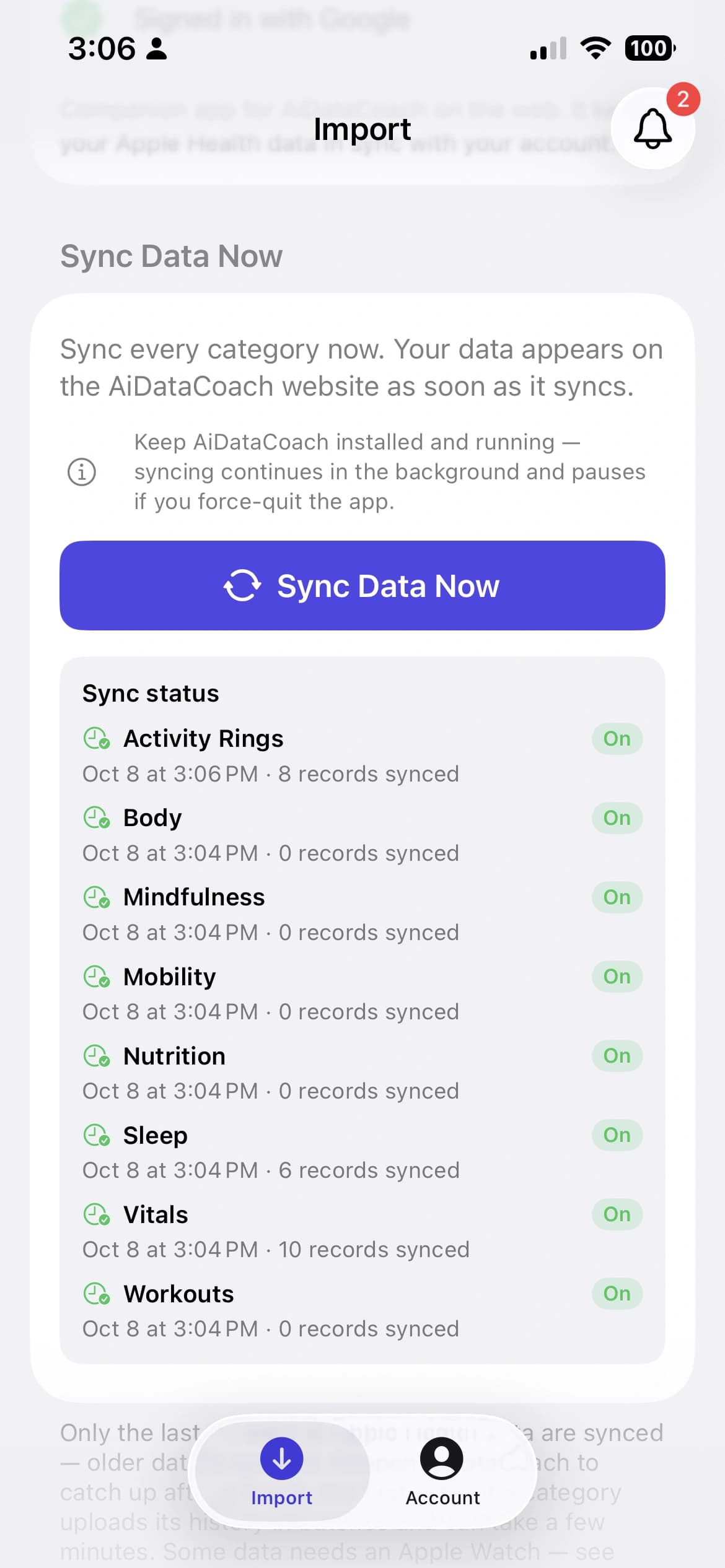
There is nothing to upload by hand. The app sends each category to your account as it goes — when you open it, and when your phone wakes it because something new has arrived.
One thing is worth knowing: iOS only wakes an app that is still running. Close AiDataCoach completely and the background syncing stops until you open it again. Opening it for a moment now and then is enough — and if you would rather not wait, Sync Data Now in the app catches up on the spot.
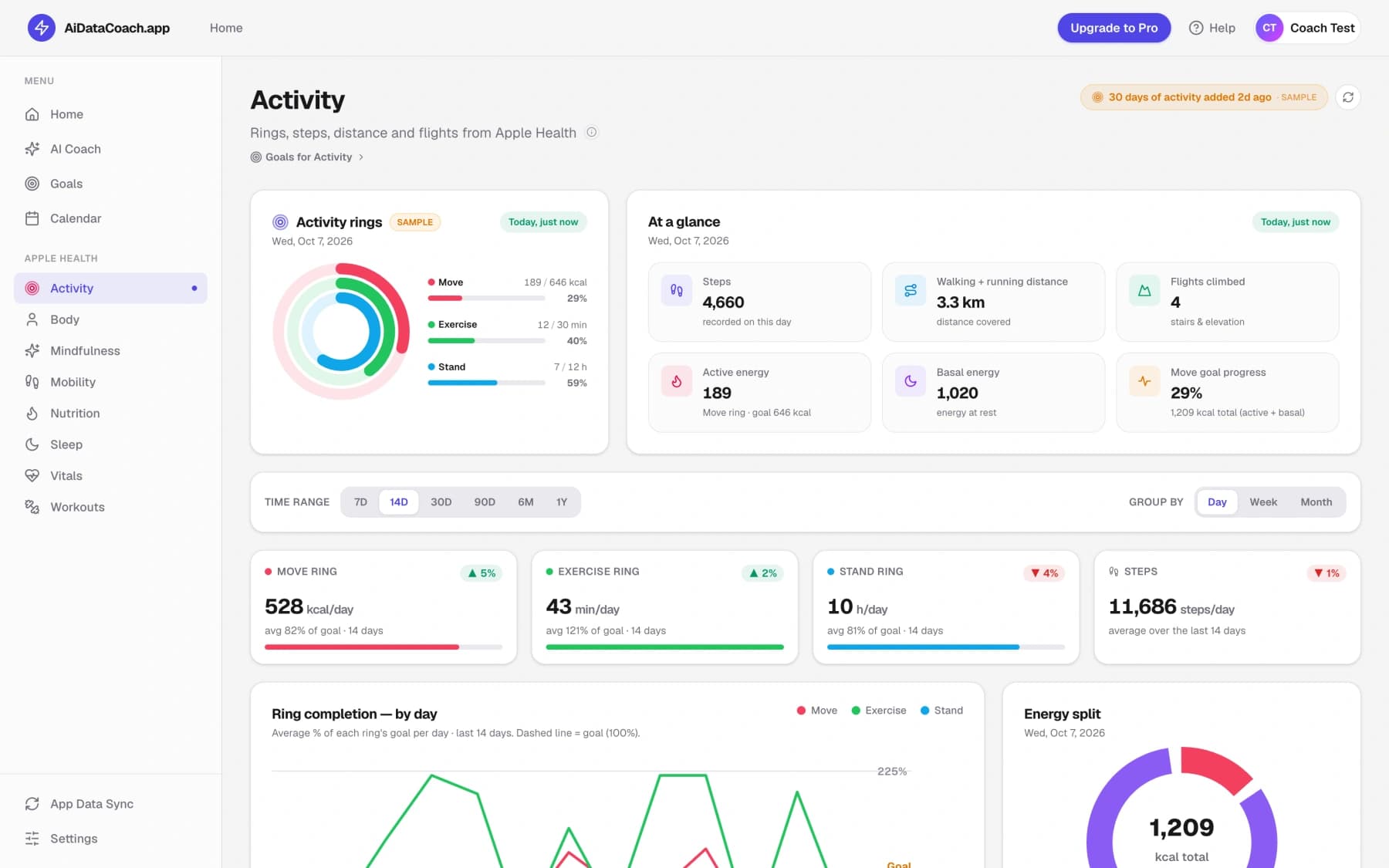
This website reads what your account holds and draws it: rings, trends and time ranges. Each dashboard shows when its data last arrived, so an old number reads as a phone that has been quiet rather than a page that has lost anything.
Refresh on a dashboard re-reads the website's copy of your records. It cannot reach the phone, so it is the app that makes a stale figure fresh.
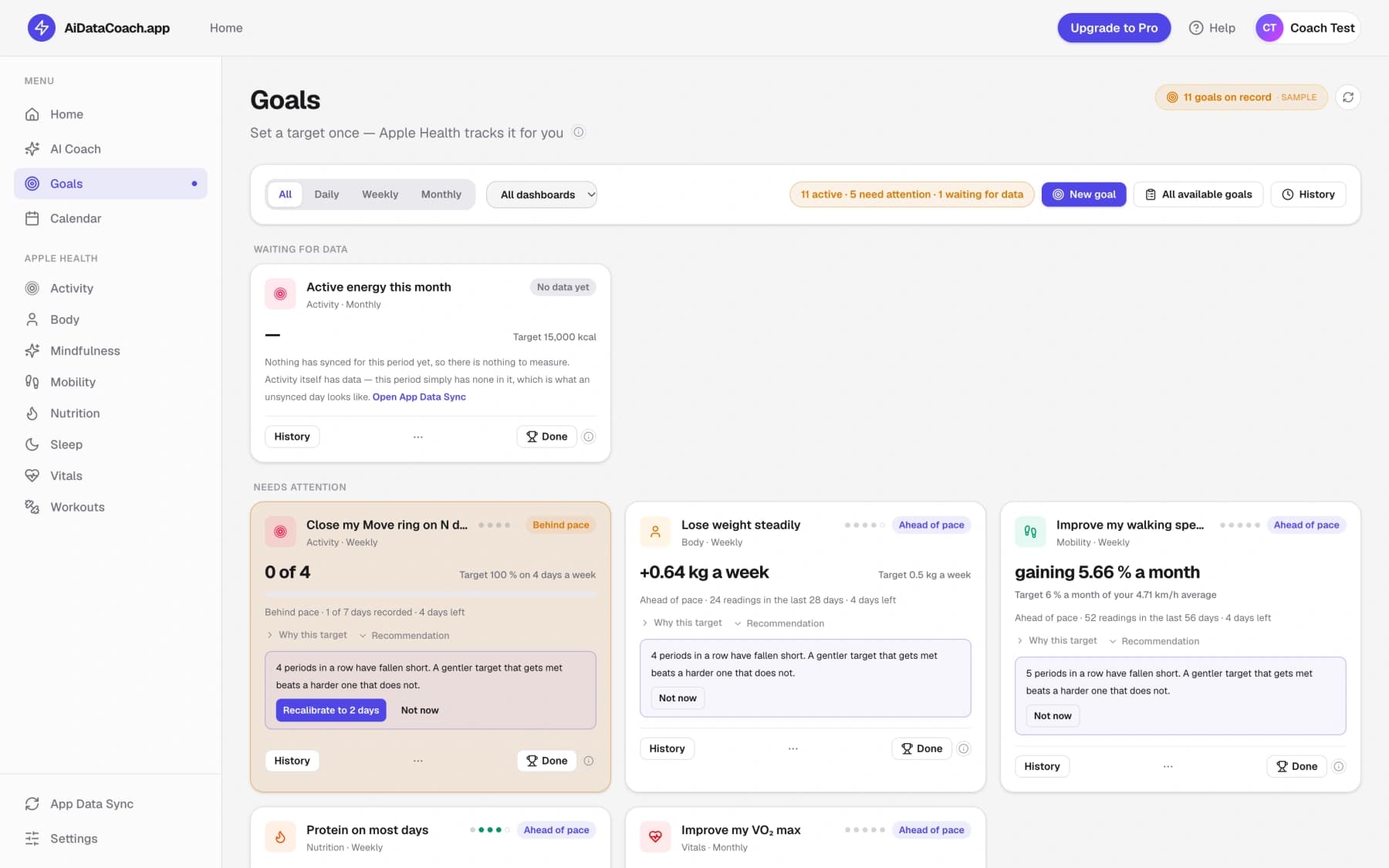
Goals
A goal is a target on your own data.
A goal is one measurement over one period — 8,000 steps a day, seven hours of sleep, four workouts a week. You choose it from the templates for that part of Apple Health, and that is the whole of the setting up.
From then on, you never type a result in. Every sync refreshes the records and the website works out how the goal is going, daily, weekly or monthly.
The phone has no goals to look after. It keeps the records moving; the measuring happens here, against your account — which is why a goal and the dashboard beside it are always reading the same numbers.
The AI Coach
Connect your AI provider to switch the coach on.
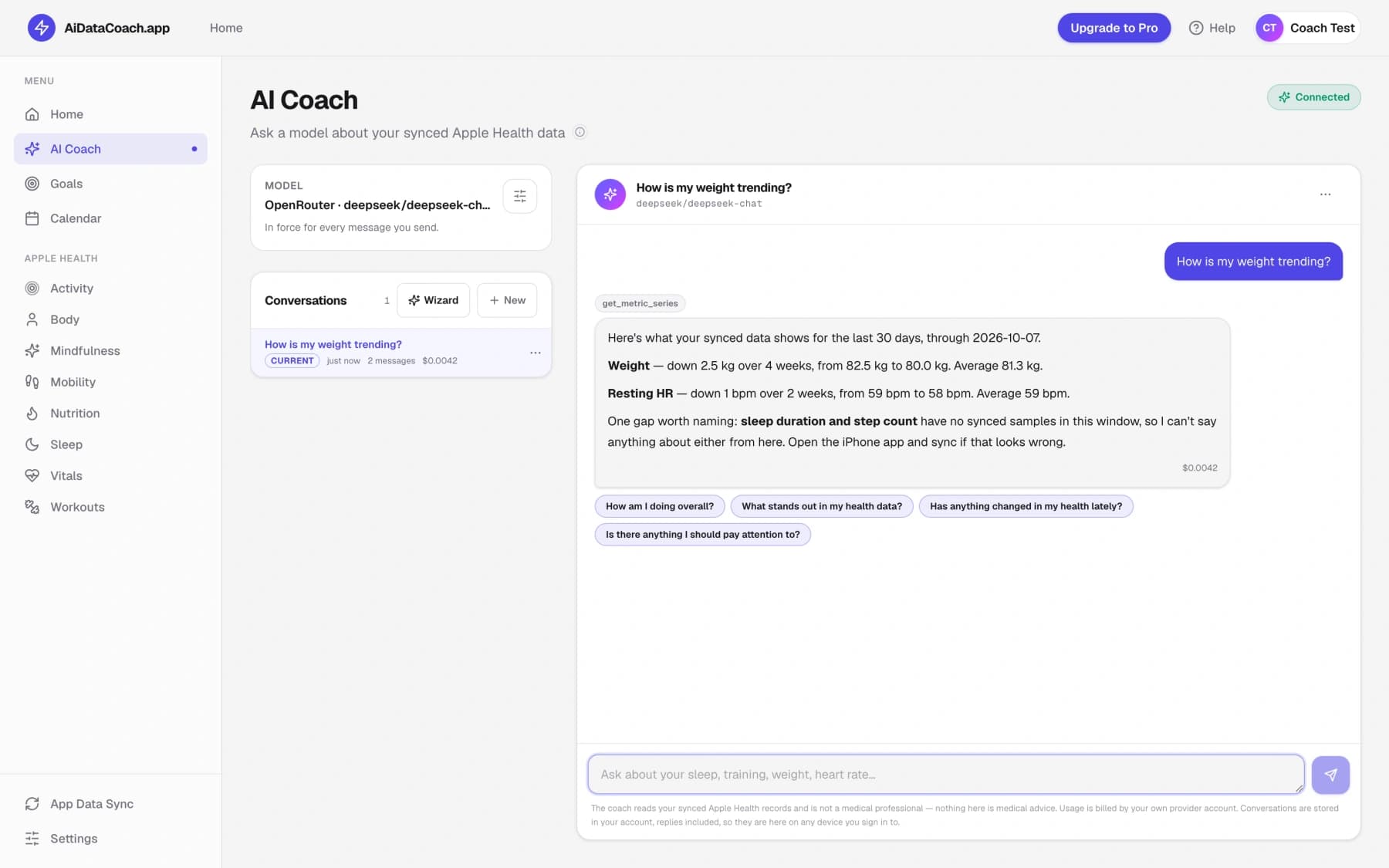
The coach is the one part of AiDataCoach that is off until you turn it on. It answers with a model from an AI provider you connect yourself, in Settings — your account with them, and the model you choose. Until then there is nothing behind it to answer, and the page says so rather than pretending.
Connecting one is the switch. No second app, nothing to install, and no way to set it up somewhere else.
Once it is on, it can look across your synced records and reply in plain words: how a trend is going, what stands out, whether a goal is really being met, and what a sensible next target would be.
That is the whole loop.
The app on your iPhone keeps Apple Health moving into your account. This website turns it into dashboards, goals that measure themselves, and a coach you can ask.
Stuck on a step? The Help page goes through permissions, syncing and sign-in in more detail.
The App Store listing is not open yet. This button is a placeholder until it is.